


Bling - Video Chat
3.168.00 Reviews
App Specs
- Version
- 2.1.3
- Updated On
- License
- Free
- Downloads
- 10,000,000+
- Developer
- JHong Technology Limited
- Categories
- Social
- Platform
- Android
Screenshots
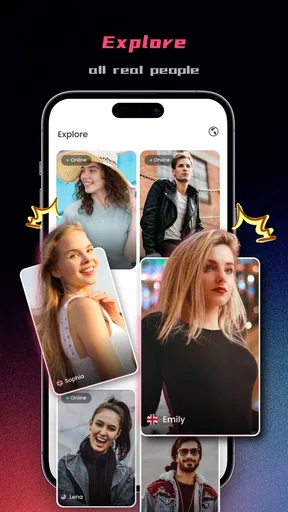
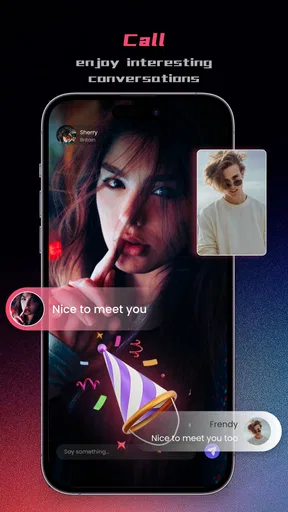
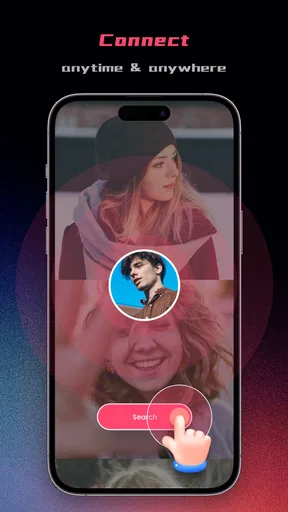
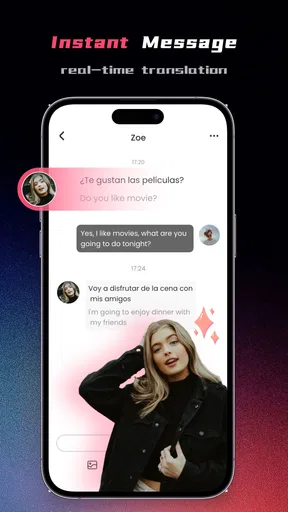
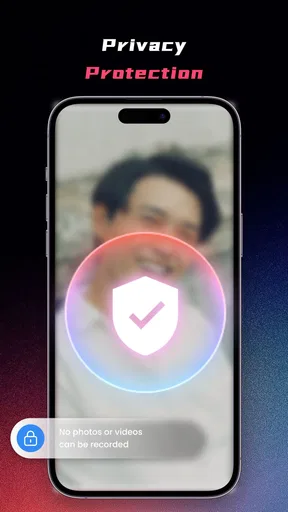
 Analysis by AppCompare
I tried Bling - Video Chat as a way to move from being curious about people in other countries to having a more direct social conversation. That starting point matters, because this is not the kind of app I would choose for carefully maintaining an existing circle of friends. It is a social app built around meeting global people through video chat, and the experience feels more immediate, less predictable, and more dependent on the quality of each interaction.
The app is free to install, which makes it easy to test without committing money at the door. It is published by JHong Technology Limited and is intended for mature users aged seventeen and over. The current release is version 2.1.2, and it runs on devices using Android 7.0 or later. Those details make it accessible to many older phones, although the actual comfort of video conversations will still depend heavily on the device, connection, camera, and microphone.
My overall impression is mixed but useful: Bling works best when I treat it as a spontaneous discovery tool rather than a replacement for a familiar messaging network. It can help break the routine of talking only to people I already know, but it also asks me to tolerate uncertainty, uneven conversations, and the need to make sensible decisions about privacy and time.
From curiosity to the first conversation
The most natural reason to open this app is a simple one: I want to meet people outside my usual social environment. Maybe I am practicing casual conversation, looking for a different cultural perspective, or just tired of scrolling through the same feeds. Bling addresses that mood more directly than a conventional social network, where I usually need to build a profile, find contacts, follow accounts, and wait for interaction to develop.
That directness is also the first trade-off. A video chat puts more pressure on me than a text message. With text, I can pause, edit, and decide whether to answer. A live conversation demands attention immediately, and the other person can see or hear the result of my decision. I recommend starting when I have a quiet moment rather than opening it while commuting, working, or trying to multitask.
The mature age classification should be taken seriously. I would not hand this app to a younger teenager simply because the download is free or the interface looks approachable. Adults should also remember that meeting strangers through video is different from browsing public posts. I keep personal details general at first, avoid sharing contact information too quickly, and end a conversation as soon as it becomes uncomfortable.
One practical preparation step is to decide what I actually want from the session. If my goal is language practice, I can prepare a few simple questions about daily life, food, music, or local routines. If I only want casual social contact, I can set a short time limit. This small bit of planning makes the experience feel less awkward and prevents the app from turning into an unstructured time sink.
Worth Reading Before You Choose

EA SPORTS FC Mobile 26 Is a Bigger Football Game, but It Takes Time

Flipboard Shows What News Apps Must Do Beyond the Feed

Switching to Android Auto Means Rethinking Your Driving Routine

Google Calendar Makes a Crowded Week Easier to Manage

Ludo King Makes the Most of the Minutes Between Plans

Baby Panda World Brings Quick Play to Modern Phones, but Its Game Library Feels Busy
What the first minutes reveal
Once I begin exploring, I pay attention to how quickly a conversation becomes understandable. A good first exchange does not need to be profound. Clear audio, a respectful tone, and a shared topic are enough. When those basics are present, the video format gives the interaction more personality than a text-only chat because pauses, expressions, and reactions carry part of the meaning.
There is a useful distinction between novelty and compatibility. A person from another country may seem interesting simply because the setting is unfamiliar, but that does not guarantee a comfortable conversation. I found it better to judge the interaction by ordinary signals: whether both people take turns, whether questions are answered naturally, and whether either person pushes for details that feel too personal.
This is also where Bling differs from the usual alternatives. A messaging app is generally strongest when I already know whom I want to contact. A large social network gives me more control over what I see, but discovery can be passive and repetitive. Random video chat is more immediate than both, yet it gives me less control over the first impression and the direction of the exchange. The right choice depends on whether I value spontaneity more than predictability.
A practical conversation workflow
I get better results by treating each chat as a small handoff rather than expecting an instant friendship. The first handoff is from the app to the conversation: I need to move from browsing or waiting into a real exchange. The second is from a greeting to a topic. The third is from a pleasant interaction to a decision about whether to continue, end it, or reconnect later if the app allows that in the flow I am using.
For the opening, I keep the language simple. A greeting followed by a low-pressure question works better than an elaborate introduction. Asking where someone is from can be fine, but I avoid turning that into a request for an exact address, workplace, school, or other identifying information. Questions about hobbies, favorite foods, films, or everyday routines give both people room to answer without exposing too much.
When there is a language gap, I slow down instead of filling every silence. Short sentences and familiar words make the video format less tiring. I also avoid assuming that someone represents an entire country or culture. The point of the interaction is to meet one person, not to collect stereotypes or force a cultural lesson into a few minutes.
A non-obvious advantage of video is that it can reveal conversational fit quickly. In text, a person can appear engaging through carefully chosen messages, while live interaction may feel completely different. That can save time when I am looking for genuine conversation. The downside is that the same immediacy can make an awkward or unwanted exchange feel more intense, so the ability to leave matters more than the promise of discovery.
Managing the handoff from one person to the next
The most important skill in this type of app is not starting a chat; it is managing transitions. I do not assume that every match deserves a long conversation. If the connection is poor, the audio is difficult to follow, or the other person is disrespectful, I leave rather than trying to rescue the session. A polite closing is enough when the exchange is merely dull. A quick exit is better when the situation feels unsafe.
I also avoid treating a friendly conversation as proof of trust. A good chat can create a false sense of familiarity, especially when it includes personal stories or emotional topics. I keep the relationship inside the app until I have a clear reason to move elsewhere, and I never send money, verification codes, private documents, or intimate material to someone I have just met. These are not unusual precautions, but video can make strangers feel closer than they really are.
Another useful habit is to separate the social outcome from the app outcome. A short conversation can still be worthwhile even if I never speak to that person again. Conversely, a technically smooth session is not automatically a good social experience. I judge the result by whether I felt respected, whether the exchange matched my goal, and whether I would willingly repeat the same kind of interaction.
For people using Bling for language practice, I recommend noting one or two expressions after a useful chat rather than trying to memorize everything during it. The live setting is good for hearing natural rhythm and getting over the fear of speaking, but it is not a substitute for structured lessons. Someone who wants exercises, progress tracking, or a stable tutor would probably be better served by a dedicated language-learning app.
Where the free model changes the decision
The free entry point is a real advantage because I can test the basic experience before deciding whether it fits my habits. However, the app includes in-app purchases ranging from $0.99 to $199.99 per item. That is a very wide span, so I would be careful around any paid option and check what I am buying before confirming it. I would not spend simply because a conversation ended quickly or because I felt pressure to improve the next match.
My advice is to use the free experience as a trial with a personal limit. I might give the app several short sessions across different times rather than making a judgment after one disappointing exchange. If the social flow is consistently enjoyable without purchases, that tells me more than buying extras to force a better result. If the free experience already feels uncomfortable, spending more is unlikely to solve the underlying problem.
This pricing structure also affects who should skip the app. People who dislike unpredictable social contact, want a carefully filtered community, or prefer communication that can be edited before sending may find a conventional messaging platform more comfortable. Bling is not the best fit for someone seeking guaranteed conversation quality. It is better suited to adults who accept that some sessions will be brief, mismatched, or unremarkable.
Privacy, boundaries, and the point of ending a chat
I consider boundaries part of the workflow, not an optional extra. Before starting, I decide which subjects are off-limits. During the chat, I watch for pressure to reveal more than I intended. Afterward, I think about whether I want any further contact. This three-stage check is especially helpful because the fast pace of video interaction can make me answer before I have thought through the consequences.
I would also use headphones when appropriate, mainly to keep the conversation understandable and avoid broadcasting it in a shared space. I choose a neutral background and remove visible documents, badges, mail, or anything else that reveals where I live or work. These are simple habits, but they reduce accidental disclosure without making the conversation feel formal.
If someone asks for money, pushes me toward another service immediately, becomes sexual in an unwanted way, or attempts to intimidate me, I stop engaging. I do not argue or try to investigate the person. I leave and use any relevant safety or reporting controls available in the app. The mature rating is a reminder that adult users still need active judgment; it is not a promise that every interaction will be suitable or respectful.
How the experience compares after repeated use
After using the app with a workflow in mind, I see its strongest quality as immediacy. It reduces the distance between “I want to meet someone new” and actually speaking with someone. That is more active than scrolling through profiles and more personal than leaving comments. For a person who is shy but willing to try short conversations, the format can provide useful practice in starting and ending interactions.
Its weakness is the same feature viewed from another angle. Because the interaction begins quickly, I have less control over context, expectations, and compatibility. A conventional social platform may take longer to produce a meaningful connection, but it usually gives me more information before I engage. A standard messenger is calmer and more reliable for people I already know. A language exchange service may offer more structure for learning. Bling occupies the spontaneous middle ground between those choices.
The app’s reach is substantial, with over ten million installs and an average rating of 3.1 from around eleven thousand ratings. I read that as evidence of broad curiosity rather than a guarantee of consistent quality. A large audience can improve the chance of finding someone interesting, but it can also make the experience feel uneven. The rating suggests I should approach it with realistic expectations instead of assuming that popularity equals polish.
There is also a difference between a large user base and a strong personal result. I can have a valuable conversation in a small session, or I can spend a long time finding no one compatible. That variability is normal for spontaneous social apps, but it means the app rewards patience and selectivity more than persistence at any cost. If I find myself repeatedly frustrated, I would switch to a slower service with more profile information and stronger control over who can contact me.
The outcome I would expect in everyday life
Imagine that I have half an hour after dinner and want to practice speaking with people from different backgrounds. I open the app, choose a quiet place, and begin with a modest goal: have one respectful conversation rather than collect as many contacts as possible. I use a few prepared topics, leave when the exchange becomes uncomfortable or unproductive, and take a short note afterward about what I learned.
In that scenario, the outcome is not necessarily a lasting friendship. It might be greater confidence speaking aloud, a fresh perspective on an ordinary subject, or simply confirmation that spontaneous video chat is not for me. That is still a useful result. The app gives me a direct test of my social comfort instead of letting me imagine that I would enjoy this kind of interaction without trying it.
For someone who wants to make international friends, I would recommend setting expectations carefully. The first success is a conversation that feels mutual and safe. A longer relationship should develop gradually, with trust earned over time. I would not judge the whole app by whether the first person becomes a friend, and I would not judge a stranger’s character by one entertaining session.
For someone who wants professional networking, private group discussion, or dependable contact with family, I would choose another tool. Bling’s value comes from discovery and live social contact, not from replacing organized communication. It is also a poor fit for users who need a quiet, asynchronous experience or who are uncomfortable appearing on camera.
My recommendation after weighing the friction
I can recommend Bling - Video Chat to adults who genuinely want spontaneous conversations with people around the world and who are prepared to manage boundaries themselves. It is free to try, works on a broad range of Android versions, and offers a more immediate experience than ordinary social feeds. The developer, JHong Technology Limited, has positioned it in a part of social networking where the appeal comes from direct human contact rather than passive browsing.
I would not recommend installing it with the expectation that every interaction will be meaningful, safe, or worth extending. The mature audience, unpredictable handoffs, and optional purchases require attention. I would begin without spending, keep personal information private, and decide after several short sessions whether the conversations actually improve my day.
My final view is that this is a niche social tool with a clear purpose, not an all-purpose communication app. When I want novelty, a quick cultural exchange, or practice speaking with unfamiliar people, it can be engaging. When I want control, continuity, privacy, or structured learning, the usual alternatives are stronger. The best result comes from using Bling deliberately: start with a small goal, move through each conversation cautiously, and leave as soon as the experience stops being respectful or useful.
Pros
- Quick video matching makes it easy to meet new people.
- Simple interface is easy for first-time users to navigate.
- Live interactions feel more personal than text-only chat.
- Profile discovery offers a fast way to find potential connections.
- In-app reporting tools help users flag inappropriate behavior.
Cons
- Matching quality can vary widely depending on who is online.
- Video calls may use significant mobile data and battery power.
- Some features or interactions may require in-app purchases.
- Unwanted messages or calls can still occur despite moderation tools.
- Privacy risks exist when sharing personal details with strangers.
FAQs for Bling - Video Chat
What is Bling - Video Chat, and how does it work?
Bling - Video Chat is a social communication app designed for meeting and talking with other users through video interactions. After creating an account, you can typically browse available profiles, start conversations, and use video or messaging features, depending on the options enabled in your region. The experience is focused on spontaneous social connections rather than traditional text-only communication.
Is Bling - Video Chat free to download and use?
The app may be free to download, but some features can require in-app purchases, virtual credits, subscriptions, or other paid options. Video calls, extended conversations, profile visibility, gifts, or premium matching tools may not all be available without payment. Before spending money, review the app’s current pricing, trial terms, renewal conditions, and refund policy through the official store listing.
Is Bling - Video Chat safe for meeting strangers online?
As with any video-chat platform, users should be careful when interacting with people they do not know. Avoid sharing your address, phone number, financial information, passwords, or private documents. Use the app’s blocking and reporting tools whenever someone behaves suspiciously or makes you uncomfortable. Parents should also supervise younger users and check the app’s age requirements before installation.
What permissions does Bling - Video Chat require?
A video-chat application commonly requests access to the camera and microphone so you can participate in live calls. It may also request notifications, photos, storage, or network-related permissions for messaging and account functions. Grant only the permissions necessary for features you intend to use, and review them in your Android or iOS privacy settings if you change your mind later.
Can I delete my Bling - Video Chat account and personal data?
Account deletion procedures can vary by app version and platform. Look for an option in the profile, settings, help, or privacy section, and contact customer support if no direct deletion button is available. Deleting the app alone may not remove your account or stored information. If you have an active subscription, cancel it separately through Google Play or the App Store.


